
AI trip planner for India
Plan Once. Travel Offline.
TripYara builds a day-by-day itinerary with routes, stops, a fuel plan and a packing list — then keeps your plan on your phone for the stretches where the network disappears.
Free · Android 8.0 and later
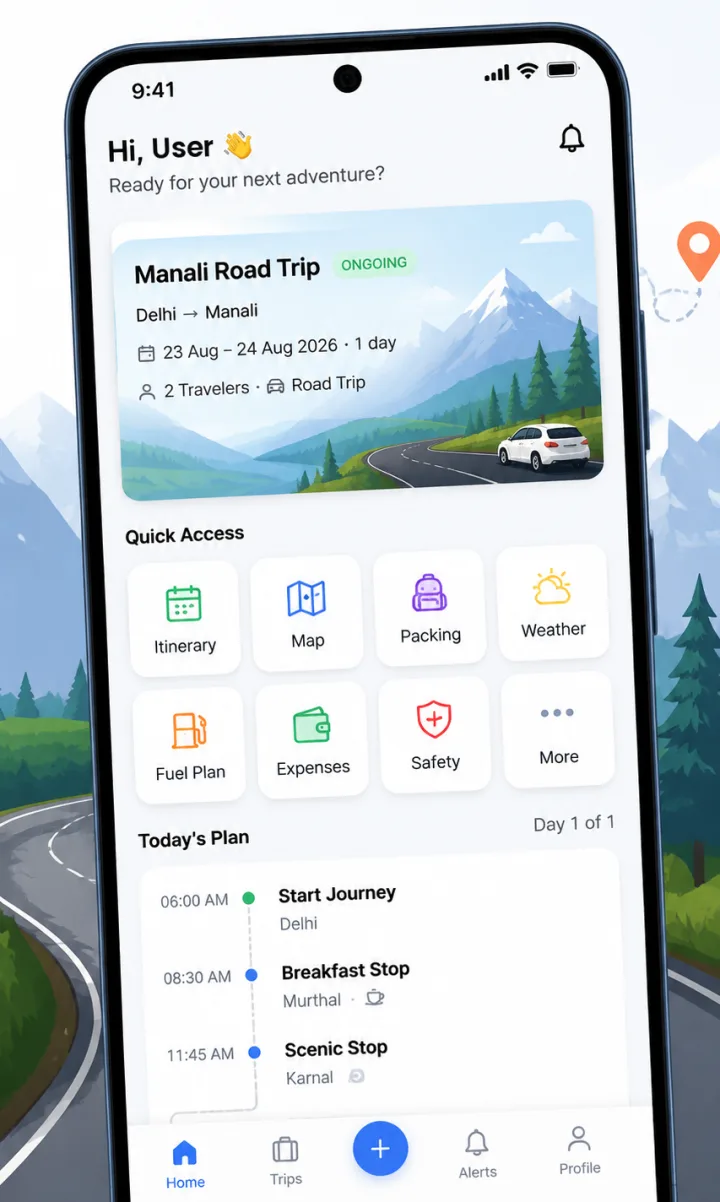
Everything for the trip, in one plan
Built for Indian road trips, from weekend drives to high-altitude routes.
- 🗓️ AI Trip PlannerA full day-by-day plan from a few answers.
- 📶 Offline TripsYour plan stays with you when the signal doesn't.
- ⛽ Fuel PlanKnow where to refuel before the gap.
- 🎒 Packing ChecklistPack once, forget nothing.
- 💰 Trip ExpensesSee where the money went.
- 🛡️ Safety & EmergencyPreparation, not fear.
- 🤝 Trip SharingOne plan for the whole group.
How it works
Tell us the basics
Start point, destination, dates, how you are travelling and who is coming.
Get a day-by-day plan
Routes, timed stops, suggested stays, fuel plan and a packing list.
Open it once online
The trip is saved on your phone for stretches without network.
Destination guides
All destinations →- Ladakh (Union Territory)LadakhHigh-altitude desert, long mountain highways and very limited network beyond Leh.
- Himachal PradeshSpiti ValleyA cold-desert valley in Himachal with monasteries, high villages and rough roads.
- Jammu and KashmirKashmirLakes, meadows and valleys around Srinagar, Gulmarg, Pahalgam and Sonamarg.
- GoaGoaBeaches, old churches and food, with a very different feel in the north and south.
Sample itinerary
7-day Ladakh itinerary: Leh, Nubra Valley and Pangong
A 7-day Ladakh itinerary that starts in Leh with two acclimatisation days, then covers Nubra Valley and Pangong Tso, with preparation tips for each day.
Read the full plan →- Day 1Arrive in Leh and rest
- Day 2Easy day around Leh
- Day 3Leh to Nubra Valley
- Day 4Explore Nubra
Questions
Does TripYara work without internet?
You need internet to create a trip. Once it is ready, opening it while connected saves the itinerary, day plan, route details and your emergency contacts on your phone so you can view them offline. Live weather, place search, map tiles and traffic still need a connection.
Is TripYara free?
Yes. TripYara is free to download and use on Google Play. There are no in-app purchases or bookings at the moment.
Which phones does it support?
TripYara is available for Android phones running Android 8.0 or later. There is no iPhone app yet.
How long can a trip be?
Trips can be up to 21 days, including short same-day round trips.
How do I sign in?
Create an account with your mobile number, which is verified with a one-time password, then sign in with your number and password.